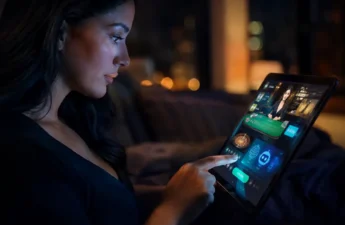

Ever felt lost in a huge hotel and casino? The endless hallways and crowded areas can make simple tasks hard. It’s like searching for the pool is a big adventure.
What if your phone could help you find your way? Imagine a digital guide on your screen, showing you the way with arrows. This is what augmented reality wayfinding offers.
This tech makes finding your way easy and fun. It’s made to cut down on confusion, save time, and make your stay better from the start.
It’s like having a personal concierge in your pocket. It doesn’t just show you to your room. It can also find the nearest restroom, help you find a dinner spot, or suggest a show.
The secret to this magic is indoor positioning systems. These systems let your device know exactly where you are, even without GPS.
We’ll look at how this tech is changing how people enjoy places like Las Vegas and other big resorts. You’ll see how new technology is making these places welcoming and easy to get around.
Problem Definition: Lost guests, long walks, missed reservations
Lost guests face a major failure in your service. Imagine a family, with luggage, looking lost in a sea of hotel wings. Their excitement turns to confusion and stress. This is not just a small issue. It’s the start of a chain reaction that affects your whole operation.
A guest who can’t find the spa becomes stressed. This stress can lead to anger at your front desk, demanding service recovery. Long walks across a big property make guests tired. Tired guests are less likely to enjoy your other amenities like bars or shops.
Missed reservations hurt your bottom line the most. A couple late for a dinner booking gets lost. They arrive late, and their experience is ruined. You might offer a free dessert or drink to make up for it. This costs you money and staff time. Plus, they might leave a bad review online, scaring off future guests.
Think of these issues as silent money leaks:
- Staff Drain: Employees spend too much time guiding guests instead of doing important tasks.
- Guest Dissatisfaction: Frustration leads to lower satisfaction scores and bad online reviews.
- Lost Opportunities: A guest trying to find their way is not spending money elsewhere.
We’re clearly defining these problems because they are costly. You’re not just adding a tech feature. You’re solving real operational issues that hurt guest happiness and your profits. Proactive wayfinding stops the need for expensive service recovery. It turns confusion into confidence from the start.
Technology Stack (sensors, mapping, app capabilities)
Let’s break down the tech that makes AR wayfinding work. It includes sensors, mapping, and app smarts. Think of it like an orchestra—each part must work together for a smooth experience.
Don’t worry about UWB or SLAM. We’ll explain them simply. This tech creates a reliable indoor positioning system, unlike GPS.

The first part is the sensors. These are the quiet, hardworking parts in your space. Most use BLE/UWB beacons.
BLE beacons are like digital signs that smartphones can find. UWB is newer and more precise, great for finding specific spots.
Next, we have the mapping layer. This is where your resort’s digital map comes to life. Map SDKs create detailed, accurate indoor maps.
These maps are more than just floor plans. They’re dynamic, showing elevation, points of interest, and obstacles. This lets the app plan the best route, avoiding service areas.
The final piece is the app capabilities. This is what guests see on their screens. A key tech here is SLAM (Simultaneous Localization and Mapping).
SLAM works like a flashlight in a dark room. It builds a map and tracks your location. It’s like what your phone’s camera and sensors do!
It lets the app show digital arrows and info on the camera view. The app uses data from beacons and maps to guide guests.
So, how does indoor positioning work? Beacons provide anchor points. Map SDKs create the stage. And SLAM technology acts as the conductor, guiding guests.
The result is a system that’s both sophisticated and invisible to users. Guests see helpful arrows to their dinner, unaware of the tech behind it. This is the best kind of tech—it just works!
UX Patterns (turn‑by‑turn, accessibility modes, queue times)
Imagine your phone screen turning into a friendly guide. It draws arrows on the real world to lead you to your cabana. This is the heart of great user experience in AR wayfinding. The technology is powerful, but it’s the intuitive, human-centered design that makes guests love and use the app every day.
Let’s talk about the core navigation. Turn-by-turn directions are shown right on your camera view. It feels like playing a video game where the next step is always clear. Just raise your device, and a path lights up on the ground, guiding you to the lobby, spa, or that hidden tiki bar. It’s so natural that you forget you’re using a map at all.
But a great experience must be for everyone. That’s why inclusive design is non-negotiable. We build robust accessibility modes right into the app’s foundation. For guests with visual impairments, this includes:
- Audio Descriptions: A calm voice narrates the environment and directions.
- High-Contrast Visuals: Bold colors and simplified graphics make on-screen elements easy to distinguish.
- Haptic Feedback: Your phone vibrates to signal turns or points of interest.
This thoughtful approach to accessibility ensures every guest can navigate with confidence and independence.
Now, let’s make the experience even smarter. This is where queue intelligence comes into play. Imagine walking toward a popular ride and seeing a live wait time floating above the entrance in your AR view. Or getting a notification that your table is ready as you follow the path to the restaurant.
Integrating real-time data transforms a static navigation tool into a dynamic concierge. It helps guests make instant, informed decisions. Should you grab a snack now, or head straight to the show? With queue intelligence built into the path, the app anticipates these questions and provides the answers.
Ultimately, these UX patterns—intuitive guidance, inclusive modes, and live data—work together to reduce friction. They turn a potentially stressful search into a smooth, even enjoyable, part of the adventure. We believe the best technology doesn’t just show you the way; it understands your needs before you even have to ask.
Operations Integration (Service Tickets, Curb-to-Seat)
Forget about guests wandering lost; think instead of a system that guides them from the taxi drop-off all the way to their dinner chair. This is the promise of deep operations integration. Your AR wayfinding app shouldn’t be a separate gadget. It must become the central nervous system for your entire resort’s guest services.
Let’s break down how this works. Imagine a guest spills a drink near the pool. Instead of looking for an employee, they open your resort app. With one tap, they can report the issue. The app automatically attaches their exact GPS and AR beacon location. This creates a precise service ticket sent directly to the maintenance team.
This is a game-changer for service recovery. Problems get fixed faster because staff aren’t wasting time searching. The guest feels heard and helped immediately. This turns a minor annoyance into a showcase of your efficiency!

But the integration goes further. We call it the “curb-to-seat” journey. The AR guide doesn’t abandon guests at the restaurant door. It can lead them through the dining room, right to their specific reserved table. This is perfect for large, bustling venues where finding a table can be confusing.
How does this help operations? Hosts spend less time escorting guests. Servers can prepare for arrivals. The entire dining flow becomes smoother. This level of detail transforms the navigation app into a powerful operations platform. It streamlines workflows for your staff at every touchpoint.
Think about the connections. The app talks to your property management, housekeeping, and facilities systems. A flickering light in a hallway can be reported instantly, speeding up service recovery. This makes every department more efficient and connected. Your team has a real-time dashboard of guest needs.
This integrated approach is a win-win. Guests enjoy incredibly smooth, memorable journeys. Your staff gains superpowers to anticipate and solve issues. It’s about creating a responsive environment where technology handles the friction. This allows your team to focus on delivering amazing hospitality.
For restaurants, this seamless guidance is a direct boost to your seat supply model. By reducing the time guests spend looking for their table, you optimize table turnover. Every minute saved is a chance for another seating. The AR system becomes a silent partner in maximizing your venue’s revenue.
Ultimately, operations integration is the key to unlocking the full value of your AR investment. It moves beyond simple maps. It creates a living, breathing system that makes your resort smarter, faster, and more guest-friendly with every interaction.
Monetization (Sponsorships, Cross‑Sell, Table Fill)
How does AR navigation make money for your property? It’s a great question! This tech turns a guest service into a profit maker through three main ways.
Think about it: every guest looking at their phone for directions is a chance to show them something. Your AR map is a great place for strategic promotions and partnerships.
1. Sponsored Highlights and Featured Pins
Partners like a signature spa or a premium showroom can pay to be highlighted. Imagine a “highlight” pin that glows or offers a special preview when a guest views the map. It’s not just ads; it’s contextual assistance that helps both the guest and the vendor.
Modern map SDKs help create these elegant, branded experiences. You decide where, when, and how they appear, making sure they fit naturally into the navigation.
2. Intelligent Cross‑Selling and Timely Offers
This is where location-awareness really shines. As a guest walks near your tiki bar, the app can send a push notification: “Thirsty? Happy Hour starts in 5 minutes!”
These offers are super relevant and have much higher success rates than generic ads. The system uses geofencing to send offers at the best time.
- Discount on dessert when near the bakery.
- Last‑minute ticket upgrade outside the theater.
- Exclusive lounge access offer near the guest’s room.
3. Operational Efficiency That Boosts Revenue
Lost guests often don’t show up for reservations or activities. By guiding them well, you improve your table fill rate and activity participation.
This leads to more covers served, higher use of paid experiences, and less wasted capacity. It turns a logistical problem into a money maker.
Today’s map SDKs make all these integrations easy without making the app cluttered. Promotions are added subtly, only when they’re truly helpful to the guest’s situation.
| Monetization Channel | How It Works | Direct Revenue Impact |
|---|---|---|
| Sponsored Pins | Partners pay for featured placement on the digital map. | Creates a new advertising income stream. |
| Contextual Cross‑Sell | Geo‑triggered offers appear as guests approach venues. | Increases per‑guest spend at point of decision. |
| Reduced No‑Shows | Efficient navigation ensures guests reach bookings on time. | Maximizes revenue from existing reservations (restaurants, tours). |
Is this tech just a cost? Absolutely not. It’s a new way to make money and maximize the value of every square foot of your resort. The initial cost pays off by making guests happier, spending more, and opening up new digital ad space.
You’re not just making a map. You’re building a smarter, more profitable resort ecosystem.
Safety and Accessibility Compliance
An AR wayfinding system that doesn’t consider all users is incomplete. It risks alienating a big part of your market. Getting lost is stressful for anyone, but it’s dangerous for guests with disabilities or in emergencies. That’s why the best systems focus on safety and independence for everyone.
Your AR concierge should be like a trusted guide. It can show more than just the way to blackjack tables. It can highlight the fastest path to emergency exits right in the user’s view. It can also send push notifications for location-specific alerts, like a crowded corridor or a wet floor. This makes the navigation tool a real safety asset.
True accessibility shows a thoughtful design. It’s more than just a “large text” mode. It follows standards like the Americans with Disabilities Act (ADA), ensuring all guests can navigate with dignity. For more on this, check out our detailed web accessibility guidelines.
What does this look like in practice? Your AR app should be a multi-sensory experience:
- Detailed Audio Guidance: Turn-by-turn narration that describes distances, landmarks, and points of interest.
- Screen Reader Compatibility: Every button and menu is fully labeled for tools like VoiceOver or TalkBack.
- Thoughtful Visual Design: High-contrast modes and color-blind friendly palettes so on-screen arrows and icons are clear to all.
Putting a high priority on accessibility is a smart business move. It’s not just about meeting legal requirements. It’s about welcoming guests of all abilities. You’re saying, You are welcome here, and we’ve prepared for your visit.
Embedding safety and accessibility into your AR plan isn’t extra. It’s a key investment in guest trust and inclusivity. It also boosts your resort’s reputation in the long run.
Data Privacy and Opt‑In Analytics
The power of BLE/UWB beacons for navigation must be balanced with a strong privacy commitment. Guests worry about their digital footprint. Your system’s success depends on trust.
Let’s look at how to use this tech responsibly. The goal is to get useful insights without knowing who’s where. Modern systems do this by processing data anonymously, often on the guest’s phone.
This on-device processing keeps a guest’s exact path private. The app might share only aggregated, anonymized data. It’s like knowing “30 people walked through the main lobby between 7-8 PM,” not who they were.
Opt-in analytics is your guiding principle. You’re asking guests to share data to improve everyone’s experience. Clear communication is key.
Guests should know what they’re opting into. For example, you might collect data to find and fix hallways’ congestion. This helps you improve traffic flow or adjust staff.
Here are the best practices to build trust:
- Transparent Consent Prompts: Use simple language. Explain what data is collected, how it’s used, and how it’s protected.
- Prioritize Anonymization: Remove all personally identifiable information (PII) before storage. Use data aggregation and k-anonymity.
- Secure Storage: Data must be encrypted and stored on secure servers. Have a clear data retention and deletion policy.
- Offer Real Value: Show guests the benefit. “Opt-in to help us reduce poolside congestion and find you a lounge chair faster.”
By following these steps, you build trust. Trustworthy data practices lead to more opt-ins. More opt-ins give better analytics, which improve the guest experience. This, in turn, builds more trust.
Your guests’ data should never feel like a commodity. It’s a tool for improvement. When you handle it with respect and transparency, you protect your guests’ confidence in your brand.
Pilot Metrics and Test Design
Think of a pilot test as your resort’s laboratory for innovation. It’s where you gather real evidence before making a big commitment. Instead of guessing, you create a controlled environment to measure actual results. This turns uncertainty into actionable data.
We help you design a pilot that delivers clear insights, not vague feelings. The goal is to move from “I think it works” to “I know it works because the numbers show it.” Let’s build your proof-of-concept together.
Your key performance indicators (KPIs) will form the heart of your pilot. These measurable metrics tell the true story of impact. Focus on these essential data points:
- Reduction in Guest Assistance Calls: Track how many fewer “wayfinding” requests hit your front desk. This directly measures reduced friction.
- Decreased Average Walk Time: Measure how much faster guests reach restaurants, pools, or their rooms. Time saved is frustration eliminated.
- Improved Navigation Survey Scores: Add specific questions to post-stay surveys about ease of getting around. Watch these scores climb.
- Utilization of Queue Intelligence Features: Monitor how many guests check wait times for restaurants or attractions via the app. This shows adoption of advanced features.
Selecting the right pilot area is key. Choose a contained environment like one hotel tower, a specific retail wing, or a particular pool complex. This creates a manageable test bed. Guests in this zone use the full AR wayfinding system, while others continue with traditional methods.
Defining a control group gives you comparison power. Perhaps guests on certain floors or in one building use standard maps and signage. By comparing data between the pilot group and control group, you isolate the technology’s specific effect.
Set a clear, realistic timeline. A 60 to 90-day pilot often works well. This captures different day types—weekends, weekdays, special events—and provides enough data for statistical significance. Remember, this is a learning phase, not a final exam!
During the pilot, stay flexible. If you notice guests struggling with a particular feature, you can tweak it. The pilot is your safe space to refine the experience based on real behavior. We’re here to help you interpret the data and make smart adjustments.
The evidence you collect becomes your business case. When you can show leadership a 15% drop in wayfinding calls or a 20% improvement in navigation satisfaction, the decision for a full rollout becomes clear. Your pilot transforms speculation into a compelling, numbers-driven story.
Ready to start your innovation laboratory? Let’s design a test that proves the value of seamless navigation and queue intelligence for your unique resort. The path to transformation begins with that first, carefully measured step.
Cost/Benefit and 3‑Year Rollout Plan
Let’s build your business case. A realistic cost/benefit analysis makes the investment clear.
On the cost side, you have hardware like beacons and software licenses for mapping and SLAM technology. Integration labor is another key line item. SLAM, or Simultaneous Localization and Mapping, is the core software that makes precise indoor navigation possible.
The benefits are powerful. You gain increased guest spend from better venue discovery. Operational efficiency rises as staff spend less time giving directions. You might even see a higher average daily rate from an enhanced, high-tech brand perception.
A phased three-year rollout manages risk. Year one focuses on core wayfinding in your busiest areas. Year two integrates digital concierge features and expands coverage. Year three leverages the full data platform for predictive analytics and personalization.
Start with a manageable pilot. Demonstrate success in a key zone. Then scale intelligently. Each phase should deliver a clear return, building toward that truly frictionless resort experience we’ve designed together.